
Budget Studio photography using your Smartphone-2
Featured
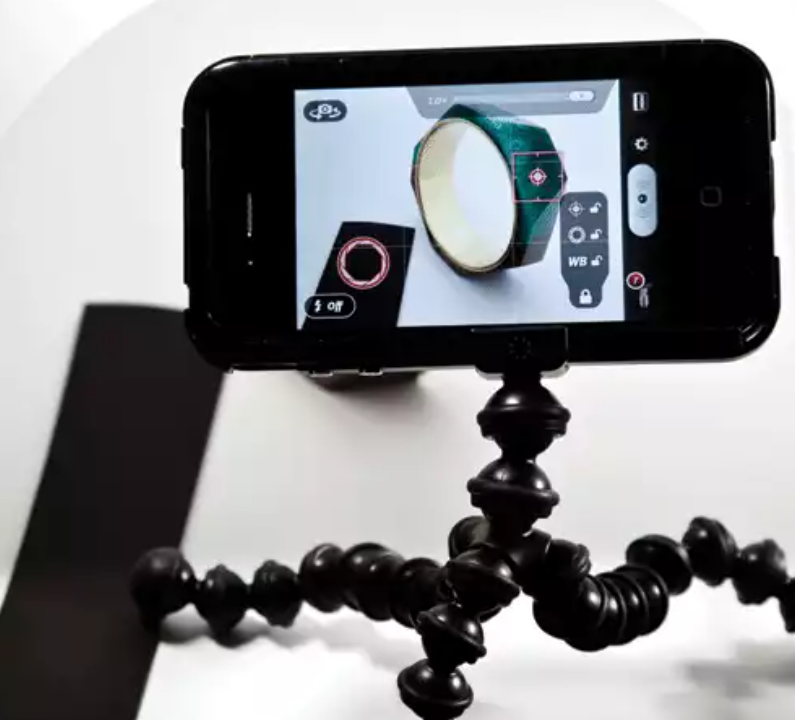
Producing high-quality product photos of jewellery using smartphone cameras requires an understanding of exposure and focus, says studio photographer Lex McColl.
Shooting jewellery, or another product, on a white background is sure to fool any smartphone camera that has been left on its default settings, but the same applies to a professional DSLR for that matter. Shooting jewellery, or another product, on a white background is sure to fool any smartphone camera that has been left on its default settings, but the same applies to a professional DSLR for that matter. Our 'hero' shot shows the Camera+ app controls. The red square on the front of the bangle is the focus point symbol which can be locked using the grey panel on the right of the screen. Simply drag the symbols around to select a focus point. The iPhone 4S and Galaxy SIII both have great auto-white-balance meters (AWB). This is where the camera decides the colour temperature of the light. If need be, users can set and lock the white balance with Camera+ by positioning the exposure symbol over the white background and tapping the WB lock symbol in the grey panel. All smartphones have wide-angle lenses. In the iPhone shot, the bangle almost fills the frame despite being only 7-10cm from the subject. In the shot of the rings, taken at the same distance, the ruby and amethyst rings only fill about 25 per cent of the original frame.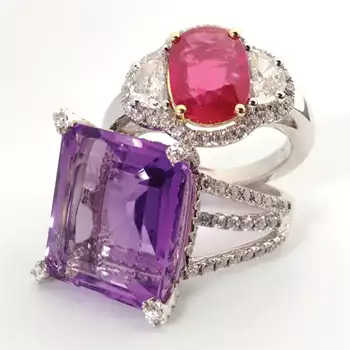
iphone 4s Modahaus TS216 ruby amethyst rings
The result from photographing jewellery on a white background on default settings will be an underexposed image with a dull grey background rather than white.
However, with the two smartphones used in this article (iPhone 4S and Samsung Galaxy SIII), jewellers can use a "camera replacement" app that will give greater control over three important elements to obtain a high quality image on a white background – namely exposure, focus and white balance.
TIP: Before starting a photo session with any smartphone, ensure the phone has a healthy charge, is set to airplane mode and that auto lock is set to "off".
The ruby amethyst rings image was taken with the iPhone 4S, using a camera replacement app called Camera+. Camera+ allows the user to select a focus point, exposure point and white balance point all independently of each other and, importantly, it also allows users to lock these settings.
For a clean, smooth white background, this shot employs a Modahaus Tabletop Studio Pro TS216, using the TS216 Smartcase as a light diffusing and reflection control enclosure. This ensures a soft, even light that eliminates harsh shadows and gives a clean un-cluttered reflection in gemstones and platinum.
Also used are Jansjo LED gooseneck lights from Ikea, which are a steal at only $20 each and which were mentioned in last month's article.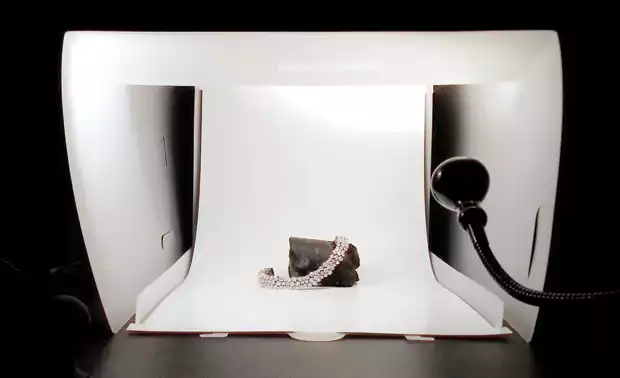
THE TS216 and smartcase light diffuser
The result from photographing jewellery on a white background on default settings will be an underexposed image with a dull grey background rather than white.
However, with the two smartphones used in this article (iPhone 4S and Samsung Galaxy SIII), jewellers can use a "camera replacement" app that will give greater control over three important elements to obtain a high quality image on a white background – namely exposure, focus and white balance.
TIP: Before starting a photo session with any smartphone, ensure the phone has a healthy charge, is set to airplane mode and that auto lock is set to "off".
The ruby amethyst rings image was taken with the iPhone 4S, using a camera replacement app called Camera+. Camera+ allows the user to select a focus point, exposure point and white balance point all independently of each other and, importantly, it also allows users to lock these settings.
For a clean, smooth white background, this shot employs a Modahaus Tabletop Studio Pro TS216, using the TS216 Smartcase as a light diffusing and reflection control enclosure. This ensures a soft, even light that eliminates harsh shadows and gives a clean un-cluttered reflection in gemstones and platinum.
Also used are Jansjo LED gooseneck lights from Ikea, which are a steal at only $20 each and which were mentioned in last month's article.Exposure and focus
TIP: Position the round exposure-point symbol in the bottom left of the screen over a black strip of card to achieve a pure white background. Finely tune the exposure by moving the exposure symbol nearer to the edge of the black card. Once achieved, lock the exposure symbol on the grey panel and remove the black strip from the frame. The exposure is now set and locked to give a perfectly exposed images on a pure white background, shot after shot.White balance
TIP: If the image has a colour cast, it should be adjusted first before setting exposure or focus. A colour cast is a tint of a particular colour that covers the whole image evenly, and is often unwanted. It can come from a particular gemstone or metal colour and can really flatten an otherwise decent image.Composition
TIP: Going in closer to try to fill the frame with the rings could result in barrel distortion, which is when the wide-angle lens distorts lines in the photo to give them a weird, fish-eye appearance. Also, a closer shot would result in a much-shallower depth of focus. 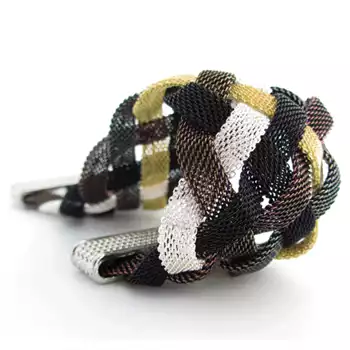
First shot: iPhone short depth of focus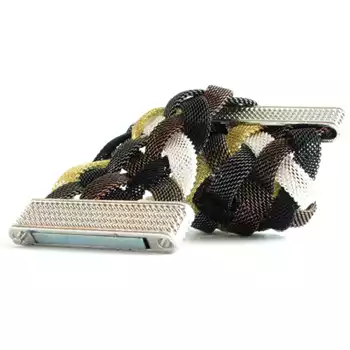
Second shot: iPhone deeper depth of focus
It is better to have a sharper, un-distorted image, even if some resolution is eventually lost when the photo is cropped to appear larger.
The first image, shot with the iPhone 4S, shows how a close-in shot gives a shallow depth of focus, while the composition and the subject can handle the barrel distortion. In the second image, the camera has been moved back a couple of centimetres and there is a much deeper depth of focus. Most smartphones will give the same behaviour.
While on the subject of composition, the close-up shows a white diamond bracelet set in white gold on a white background and bathed in white light. Without the handy Kimberlite core sample to drape the bracelet over, the picture would be almost entirely white.
This demonstrates when it is beneficial to introduce a prop to provide darker reflections in the jewellery that help give a piece more definition, contrast and form.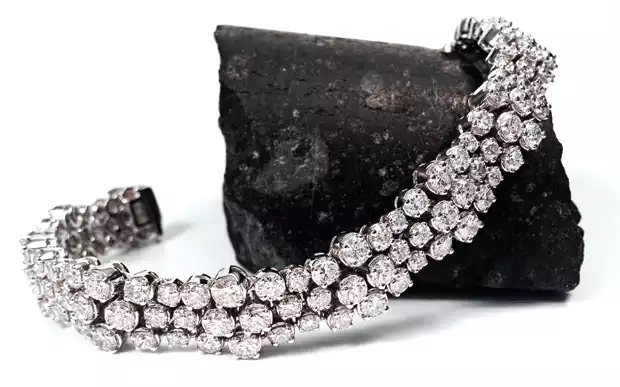
GALAXY SIII diamond bracelet and kimberlite
It is better to have a sharper, un-distorted image, even if some resolution is eventually lost when the photo is cropped to appear larger.
The first image, shot with the iPhone 4S, shows how a close-in shot gives a shallow depth of focus, while the composition and the subject can handle the barrel distortion. In the second image, the camera has been moved back a couple of centimetres and there is a much deeper depth of focus. Most smartphones will give the same behaviour.
While on the subject of composition, the close-up shows a white diamond bracelet set in white gold on a white background and bathed in white light. Without the handy Kimberlite core sample to drape the bracelet over, the picture would be almost entirely white.
This demonstrates when it is beneficial to introduce a prop to provide darker reflections in the jewellery that help give a piece more definition, contrast and form.
Recommended products
-
0.79 Carat Radiant Lab Diamond
About Ebooom:Discover the brilliance of lab-grown diamonds, a perfect blend of l…
0 reviews
Carbon Capture -
11.47 Ct. create you own
This dark green pear shaped diamond is very rare. The Ebooom laboratory has grow…
0 reviews
Create You Own Only a few left -
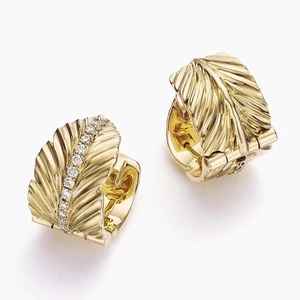
14K Yellow GoldJane Goodall Leaf Lab Diamond Huggie Earrings
The Jane Goodall Collection14K Yellow GoldJane Goodall Leaf Lab Diamond Huggie E…
0 reviews
Hot Sell -
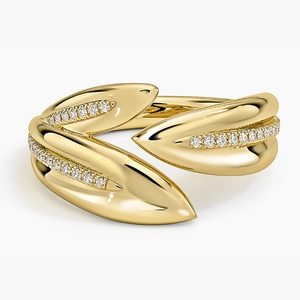
Jane Goodall Olive Branch Lab Diamond Ring (1/8 ct. tw.) in 14K Yellow Gold
Ring DetailsInspired by the symbolic olive branch, this pavé ring features a uni…
0 reviews
Special Especially Only a few left